Selected work
Adobe
Product Management · GenAI
Designing and validating 6 GenAI support concepts that meet Adobe's newest users exactly where they get stuck.

Overview
As part of a semester-long Ascend Consulting engagement with Adobe, I led a 6-person team designing a GenAI integration strategy for Adobe’s community forums and social media support channels. The goal: deliver 24/7 multilingual customer support that reduces response time and learning curve, without losing the human trust Adobe’s support experience depends on.
Approach
We ran primary research, including a 139-respondent general survey and a separate 169-respondent survey of Adobe community experts, plus focus group interviews with 30+ individuals segmented by proficiency (Beginner: under 1 year, Intermediate: under 5 years, Advanced: 5+ years). Secondary research included a competitive AI audit of Figma and Canva’s GenAI features (Figma Design, Ask Canva, Magic Studio) to benchmark Adobe’s positioning. From there, a Crazy 8’s design sprint generated ideas across social media and community forums, prioritized on an effort-impact matrix to separate quick wins from high-effort bets.
User Personas
We built user personas segmented by AI proficiency, each with a distinct relationship to GenAI support:
Chloe Kim (Beginner): needs step-by-step, screenshot-heavy instructions after a chatbot gave her a solution that didn’t work.
Rohan Patel (Intermediate): wants visual, in-app guidance over a chatbot, plus a clear path to a human rep when AI falls short.
Jonathan Perez (Advanced): finds Adobe’s learning curve steep and worries about GenAI accuracy and ethics.
Daniel Benson (Expert): learns via YouTube before Adobe’s own channels and rarely trusts chatbots.
Features Designed
We prototyped 6 GenAI features in Figma, each mapped to a channel and a target persona, then validated them with a 30-respondent before/after survey:
GenAI Overview & Key Mistakes — AI-summarized answers and common mistakes in Community Forums, for Beginners. +25.4% user satisfaction.

Image Upload for AI Assessment — visual problem diagnosis on Twitter, for Beginners. +49% user satisfaction.

Community Forum Inspired Tutorials — Instagram tutorials sourced from trending forum topics, for Intermediate users. -0.9% satisfaction (underperformed).

AI-Generated Image Solution Walkthroughs — step-by-step visual answers in Community Forums, for Intermediate users. +13.4% satisfaction.
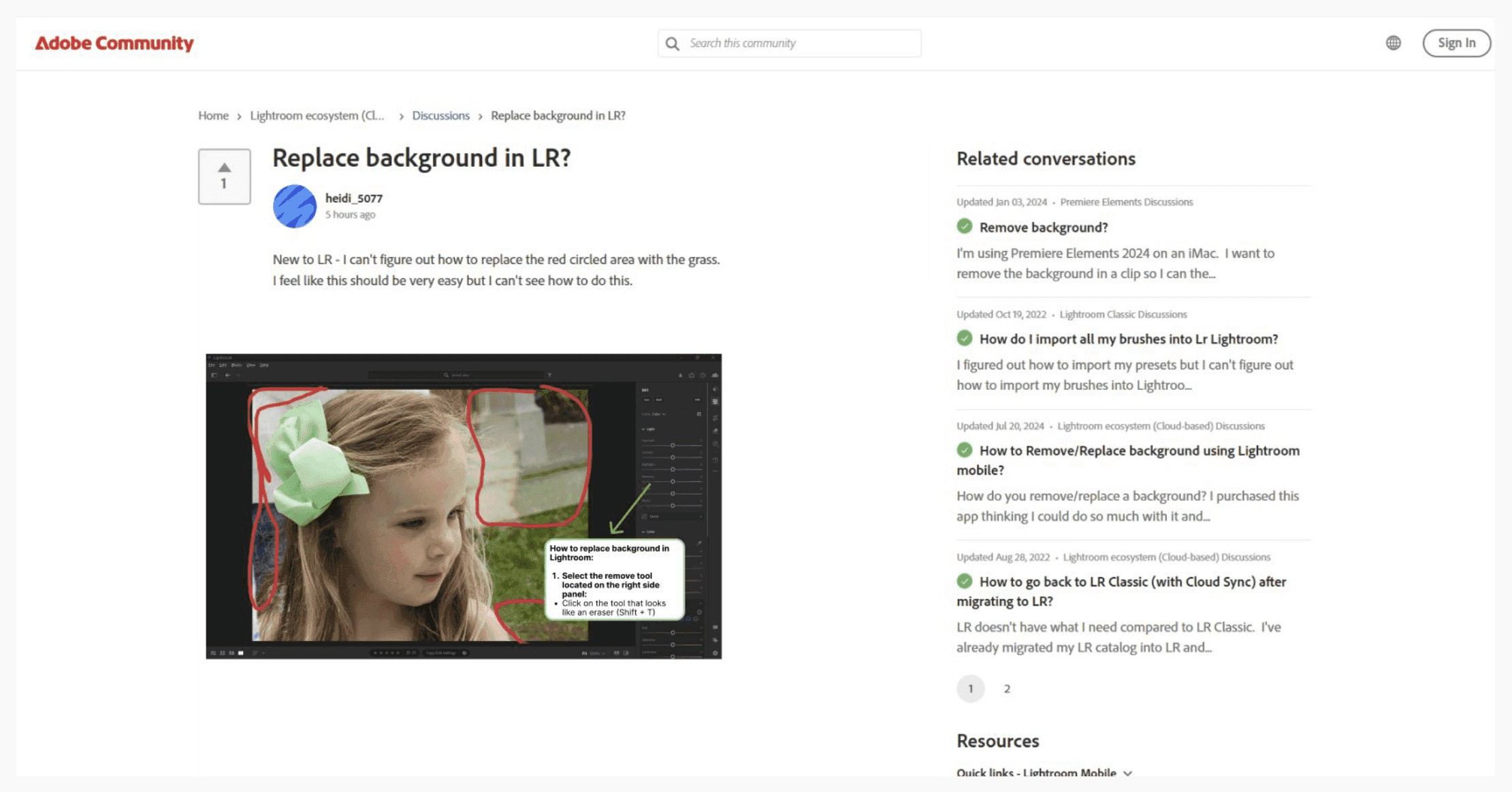
Relevant Community Forum Suggestions — AI-linked forum threads on Twitter, for Advanced/Expert users. +6.5% satisfaction.

Weekly Community Forum Challenges — AI-generated skill challenges in Community Forums, for Advanced/Expert users. +20.3% satisfaction.

Outcome
Across all six prototypes, we measured a 19% average increase in user satisfaction and a 21% increase in engagement. In our final recommendation to Adobe, we prioritized three features for rollout: GenAI Overview & Key Mistakes, Image Upload for AI Assessment, and Weekly Community Forum Challenges, based on technical fit with Adobe’s existing GenAI models, integration complexity with the current forum and social stack, and coverage across beginner, intermediate, and advanced pain points.
Reflection
The clearest signal from the data: beginner-focused tools saw by far the largest satisfaction gains, while intermediate-tier features underperformed. That reframed how I think about GenAI support products: the biggest win isn’t adding more AI, it’s aiming it precisely at the moment a user is most stuck.